What is Magic Bookmark, and how does it work?
A reading companion from Yomu that recaps the book you are reading up to your exact page, in print, ebook or audio. How it works, what it costs, and where it stops.
Magic Bookmark is an iPhone app from Yomu Inc. that gives you a spoiler-free recap, a cast list and a question box for the novel you are reading, all stopped at your exact page. You photograph the page, type the page number, or, for an audiobook, type the last phrase you heard. It works with your own copy in any format, but only for supported titles, and after a free first book it costs one credit per book, from $1.40 to $4.99 depending on the pack.
What does Magic Bookmark actually do?
Magic Bookmark is a companion to a book, not a reader and not a store. It does not contain the text of anything. You bring the book, in whatever form you already have it, and the app keeps track of where you are in it. The developer calls this BYOB: bring, buy or borrow your own book, and its website lists hardcover, paperback, ebook, audiobook and library loans.
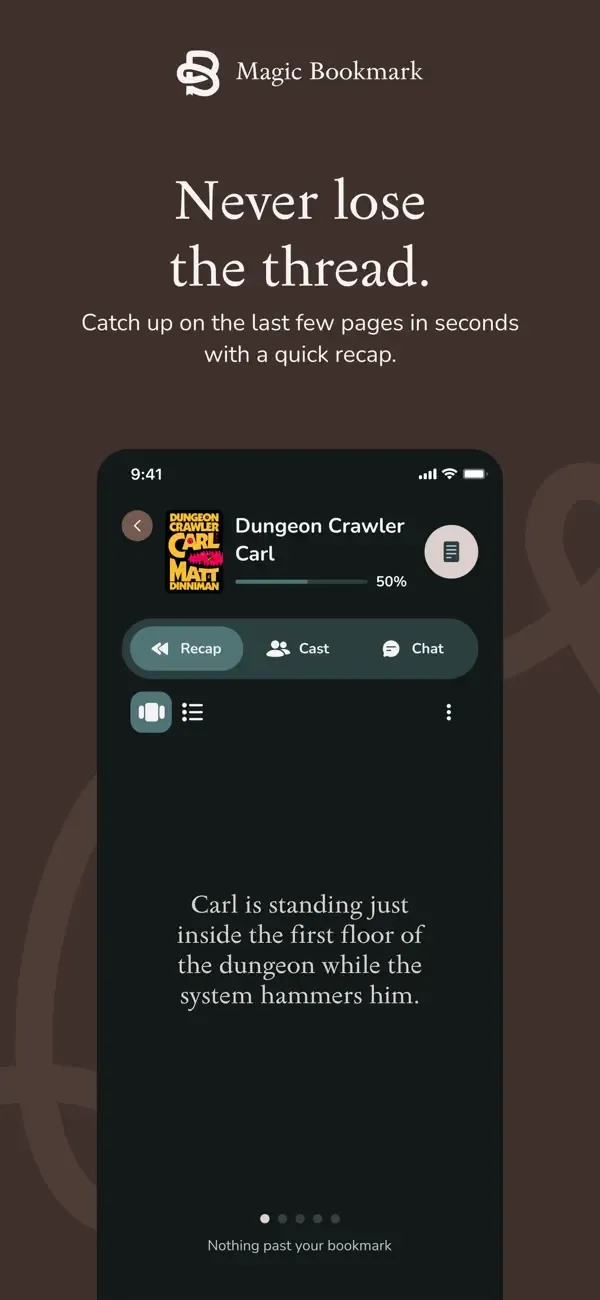
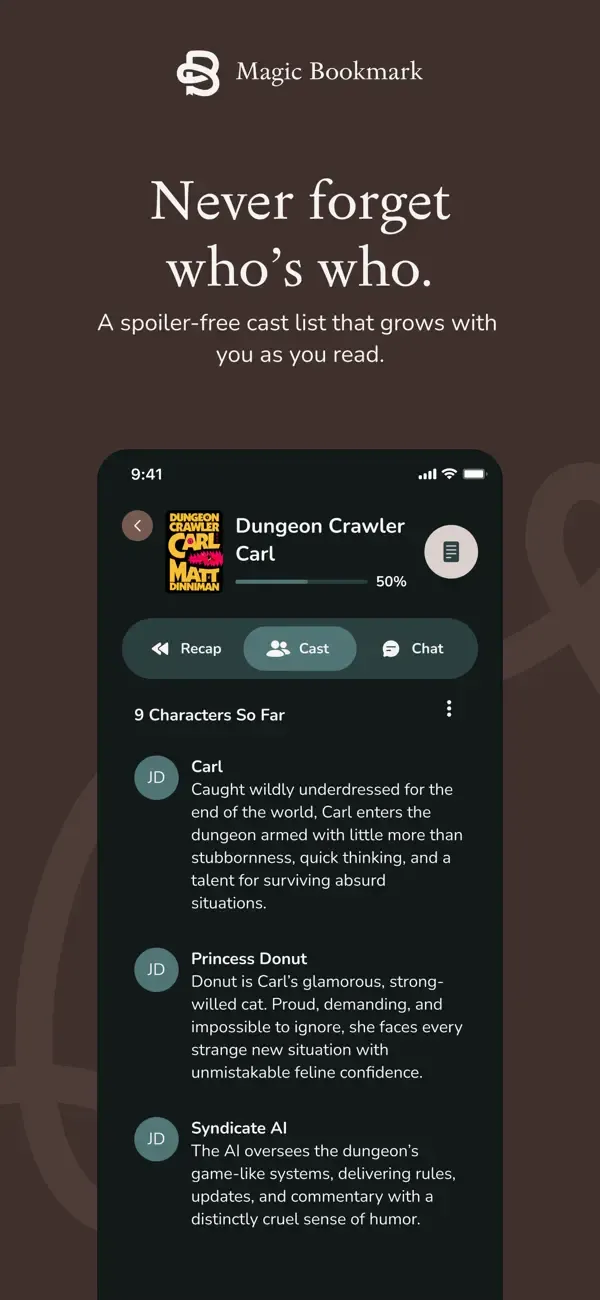
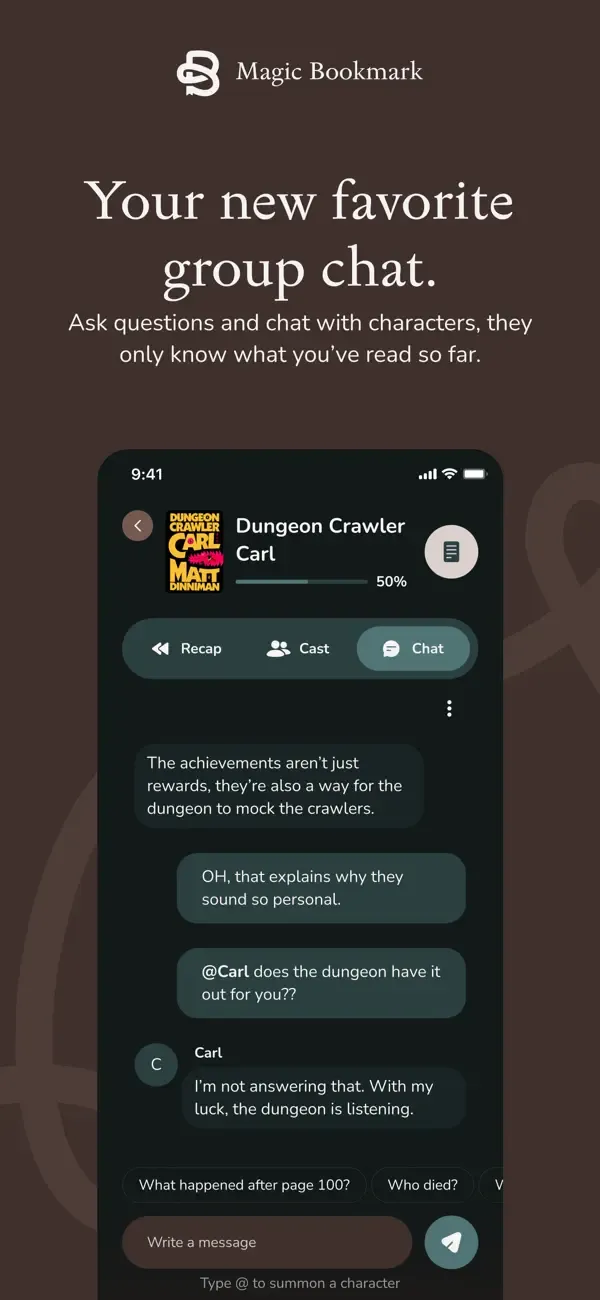
Once it knows your place, it does four jobs, and every one of them stops at your page. Its own tagline puts the promise plainly: "We spoil readers, never books."
- A recap that ends exactly where you are, not at the end of the chapter.
- A cast list of who is who and how they are connected, built only from what you have read. New characters appear once you have met them.
- A question box for the story so far, for the kind of question you would ask a friend who has read ahead, such as whether two characters are together yet.
- Chat with characters: type @ and a character's name, and that character answers in character, knowing only the story up to your page.
How does it know which page you are on?
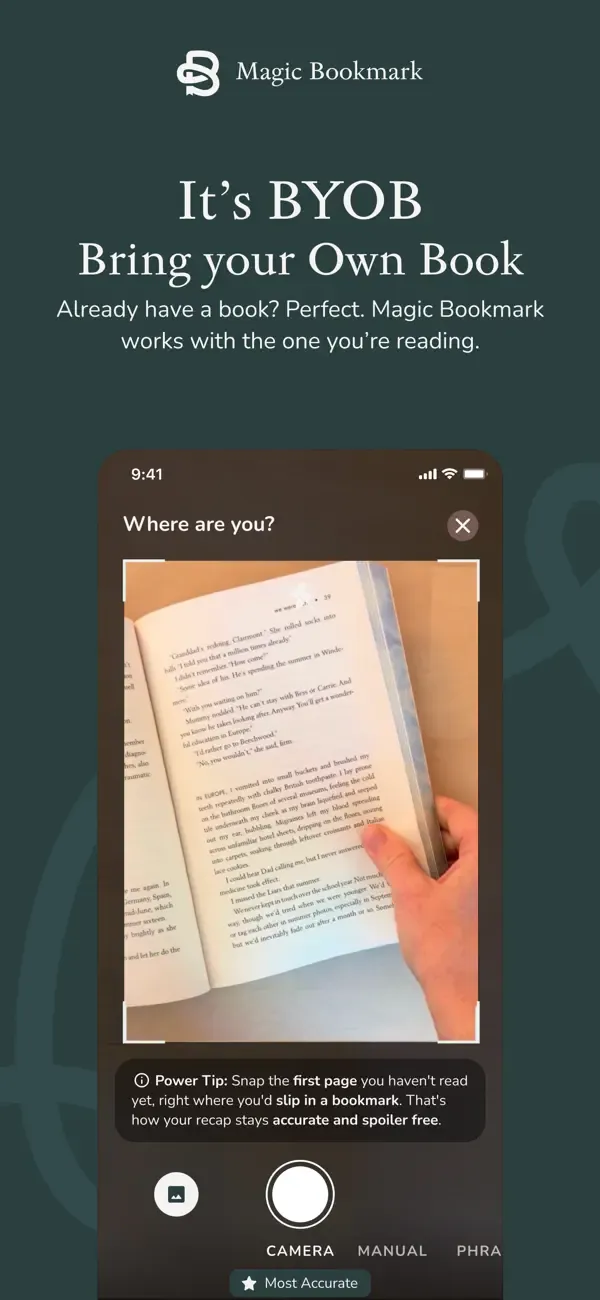
There are three ways in, and you use whichever suits the copy in your hands.
| How you read | What you do | Available since |
|---|---|---|
| Hardcover, paperback or library copy | Photograph the page you are on, or type the page number | First US release, August 2026 |
| Ebook | Type the page number, or photograph the page | First US release, August 2026 |
| Audiobook | Type the last phrase you heard | Version 1.1.1, 27 October 2026 |
The App Store listing says it syncs to your exact place, not just the chapter. That matters for the most common reason people want a recap at all: you stopped mid-chapter weeks ago and the last thing you remember is three scenes back. A chapter-level refresher would either repeat what you know or run past where you stopped.
One credit covers the whole book. The bookmark moves with you as you read, so coming back to the same book next week does not cost another credit.
Which books does it support?
Supported titles only, and this is the limit most likely to decide whether it is for you. The developer says it launched with the romance, fantasy, romantasy, YA, sci-fi and historical fiction titles that are big on BookTok and Bookstagram, and that it adds more every day. You can request a missing title inside the app.
Titles shown on its website include Fourth Wing, Iron Flame, Onyx Storm, A Court of Thorns and Roses, Throne of Glass, House of Earth and Blood, The Cruel Prince, Powerless, The Hunger Games, Red Queen, Mistborn, Dune, Foundation, The Hobbit, The Lightning Thief, The Housemaid, The Silent Patient, The Seven Husbands of Evelyn Hugo, Circe, The Song of Achilles, Pride and Prejudice, Little Women, Jane Eyre, Babel, Leviathan Wakes, Dungeon Crawler Carl, Wings of Fire, The Invisible Life of Addie LaRue, The Book Thief, The Martian and Scythe. If your book is not on the list, search for it in the app before you count on it.
It is built for novels. If you mostly read nonfiction, a recap of the story so far is not the tool you need; see our guide to book summaries versus book recaps.
What does Magic Bookmark cost?
The download is free and the first Bookmark Credit is free. After that, one credit covers one book, credits never expire, and there is no subscription. Every figure below sits on top of the book itself, which you buy, borrow or already own.
| Pack | Price | Per book |
|---|---|---|
| 1 credit | $4.99 | $4.99 |
| 5 credits | $19.99 | $4.00 |
| 10 credits | $34.99 | $3.50 |
| 50 credits | $69.99 | $1.40 |
A worked example. Say you stall in about one supported novel a month. The first one is free. A 10-pack then covers the next ten at $3.50 each, so eleven books cost $34.99, about $3.18 a book. If you only get stuck two or three times a year, single credits at $4.99 are the honest buy, because unspent credits only pay off if you will really use them.
For comparison, Kindle's Story So Far costs nothing extra, but only inside Kindle ebooks. Our price tracker lists every subscription and per-book price we follow.
Which phones and devices does it run on?
iPhone, on iOS 16.4 or later. The App Store also lists Mac computers with Apple M1 or later, but the listing header says "Designed for iPhone. Not verified for macOS." There is no Android app yet (the developer's website says Android is on the roadmap for later) and no web version. The app is in English and rated 13+.
Who is it for, and who should skip it?
It suits you if:
- You read in print or on audio, where Kindle's recap tools cannot help.
- You put a supported novel down weeks ago and want back in without rereading fifty pages.
- You read long fantasy or romantasy series and lose track of the cast.
- You want to ask a question mid-book without risking an internet search that shows the ending.
Skip it, or wait, if:
- You are on Android.
- Your book is not supported, or you mostly read nonfiction.
- You read Kindle ebooks in the US: try Kindle's free Story So Far first.
- You do not want an app that, per its App Store privacy label, uses identifiers to track you.
How is it different from Kindle's Story So Far?
Amazon's Recaps, Story So Far and Ask this Book are free, built into Kindle ebooks, and available in the US on Kindle devices and the Kindle iOS app, for thousands of best-selling English-language titles. They cannot see a paperback or an audiobook. Magic Bookmark works with any format of a supported title, on iPhone, and charges per book. If your book is a Kindle ebook, start with Amazon's free tools; if it is anything else, that is the gap Magic Bookmark fills. Our head-to-head goes feature by feature.
Who makes Magic Bookmark, and what does it know about you?
Yomu Inc. is the developer and seller. Yomu also publishes YOMU - Family Reading Habits, a separate app about family reading. Magic Bookmark's US App Store version history begins with version 1.0.1 on 20 August 2026; version 1.1 (21 October 2026) added a flow for finishing a book and starting the next, and version 1.1.1 (27 October 2026) added audiobooks. On 3 November 2026 the listing showed 4.8 out of 5 from 25 ratings, a small number.
The App Store privacy label lists identifiers as data used to track you, and purchases, contact info, user content (photos), search history, identifiers, usage data and diagnostics as data linked to you. The photos are the pages you scan.
Questions readers actually ask
- Is Magic Bookmark free?
- The download and your first book are free. After that it costs one credit per book: $4.99 for one, or $4.00, $3.50 or $1.40 each in packs of 5, 10 or 50. Credits never expire and there is no subscription.
- Does Magic Bookmark work with paperbacks and library books?
- Yes. The developer says it works with any edition and any printing: you photograph the page you are on or type the page number. Library loans count, because the app never needs the book file.
- Does Magic Bookmark work with audiobooks?
- Yes, since version 1.1.1 on 27 October 2026. You type the last phrase you heard and it finds your place.
- Is Magic Bookmark on Android?
- Not yet. It is iPhone only, on iOS 16.4 or later, and the developer's website says Android is on the roadmap for later.
- Will Magic Bookmark spoil the ending?
- It is designed not to: the recap, cast list, questions and character chat only draw on the story up to the place you give it. We describe this from the developer's listing; we have not verified recap accuracy hands-on.